Formatting confusion
I’ve been finishing up a school project where I’m supposed to convert an excel file into CSV, which then should be converted into JSON using a bash script. The resulting JSON file is then to be used in a NodeJS server to send out JSON responses to various requests, in this case a catalog of my school’s different halls. The code is available on GitHub right here.
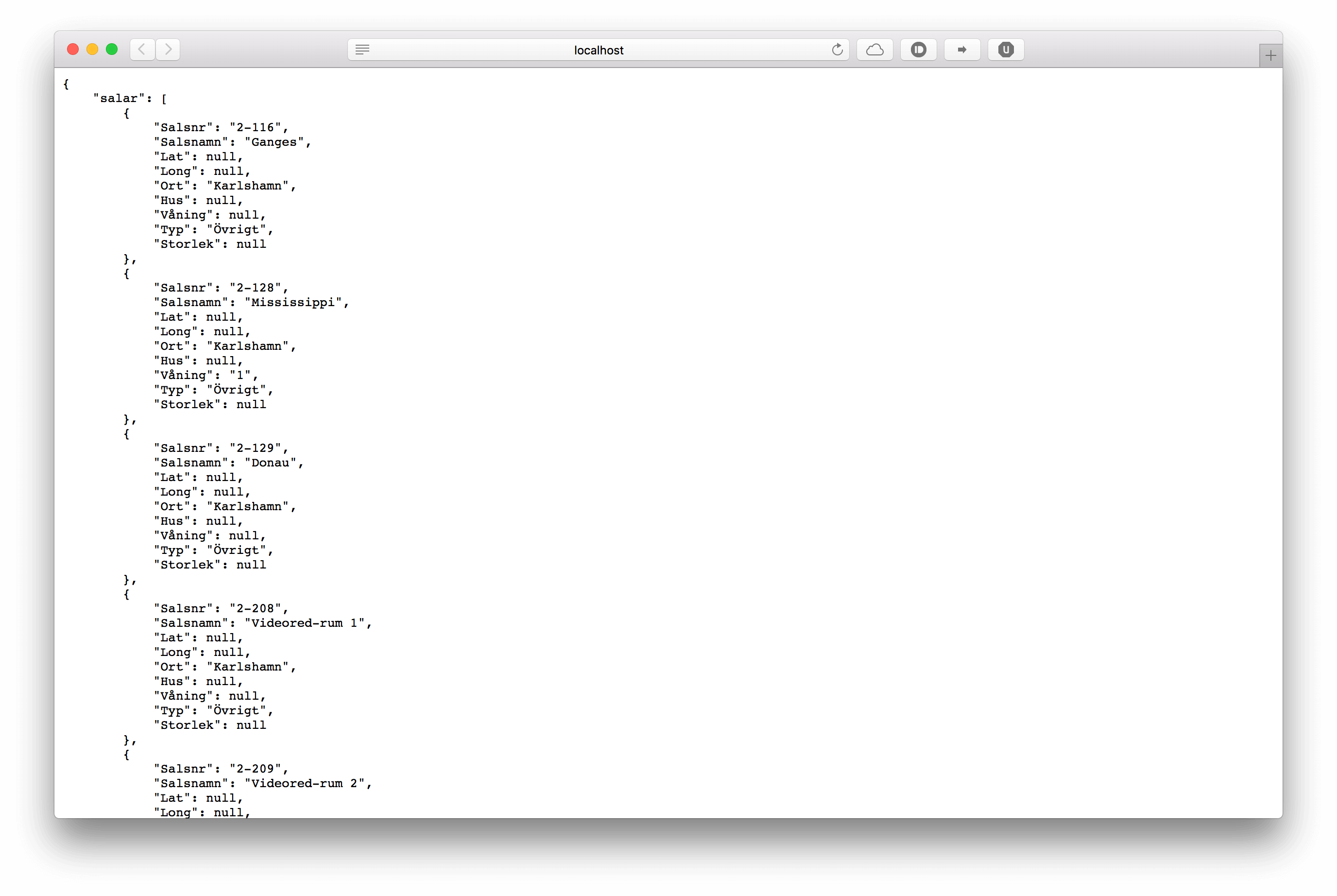
After I exported the excel-file using Microsoft Excel into a CSV file and then used my bash script to convert it to JSON, I realized the formatting was off both in the terminal and my web-browser.
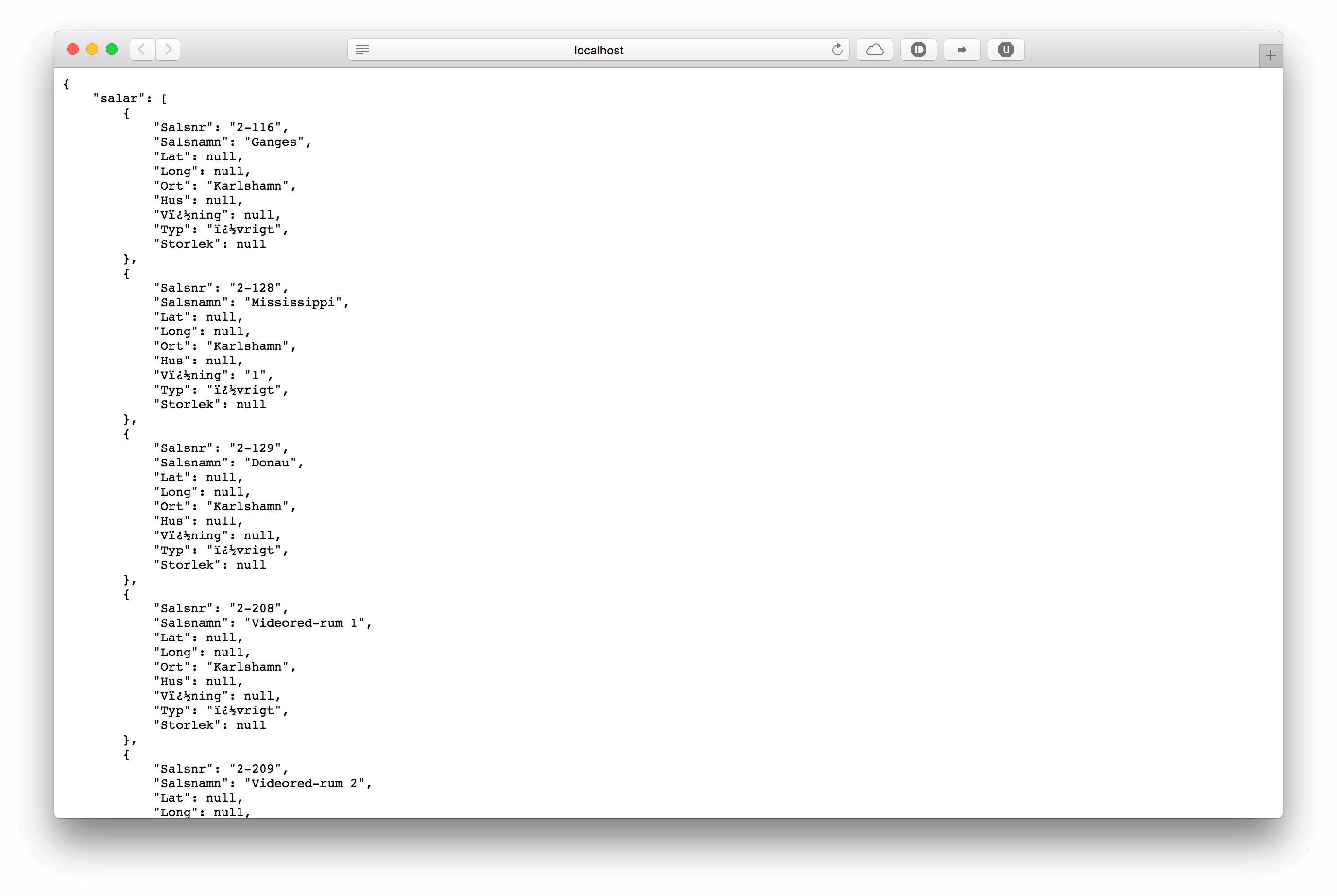
Notice the weird formatting of the words ‘Våning’ and ‘Övrigt’. First I thought this had to do with the way I was loading the JSON file into my NodeJs server using the following code:
var obj = "";
require('fs').readFile('../salar.json', 'utf8', function (err, data) {
    if (err) throw err;
    obj = JSON.parse(data);
});
Clearly, I was loading the file expecting it to be utf8. Turns out the JSON file looked normal both in Excel and SublimeText, but not in TextEdit. Now why could that be? Some further investigation led me to find out that when exporting CSV from Microsoft Excel it’s saved using “Windows Latin1” instead of utf8!
This problem can be solved in three ways. Either export the CSV file while making sure it’s formatted
as utf8, which is easily done using Google Sheets (because it thankfully uses utf8 formatting).
Convert the Windows Latin1 file into utf8 using something like iconv. Or load the file using NodeJS,
and use iconv-lite to convert it to utf8 after loading, like this:
var iconvlite = require('iconv-lite');
var fs = require('fs');

function readFileSync_encoding(filename, encoding) {
    var content = fs.readFileSync(filename);
    return iconvlite.decode(content, encoding);
}
I tend to go for the easiest solution for the sake of not wasting time, so I went with option number one. However, if we’re dealing with hundreds of incorrectly or differently formatted files I would definitely go with option 3. And there we go, correct utf8 formatting!